Cloudflare Pages vs Workers: choose for a small website
Understand Pages, Pages Functions and Workers Static Assets, keep a working setup when it fits, and choose the right starting point for a new small site.
In this guide
For a new Cloudflare project, look at Workers with Static Assets. For an existing Pages site that works, do not migrate merely because Workers has more features. Both can serve a small static website; the important difference is what you want to run alongside its files.
Pages is not the opposite of “a real server,” and Workers is not a conventional VPS. This guide helps you choose a starting point, not migrate a live site. Public documentation was checked on October 8, 2026.
First separate files from running code
A static asset is a ready-to-serve file: an HTML page, stylesheet or image. An Astro static build produces such files, usually in a dist folder. Serving them does not require executing your application for every visit.
Server-side code runs when a request needs a result that is not already a file—for example, accepting a message or looking up data. Cloudflare provides this through Workers and through Pages Functions. A function is not a permanently running Ubuntu process.
That distinction matters more than whether your website is described as “simple.” A visually small site can still need server-side behavior; a large publication can be entirely static.
What each option provides
| Requirement | Pages | Workers with Static Assets |
|---|---|---|
| Publish a built folder | Static hosting with Git-connected builds or direct upload | Static files published as Worker assets |
| Request-time code | Pages Functions use the Workers runtime | A Worker handles the selected requests directly |
| Broader application features | Check Pages-specific support | Broader access to features such as Cron Triggers and Durable Objects |
| Build configuration | Build command and output directory | Worker configuration includes the assets directory; runtime code is optional for an assets-only project |
| Existing working static site | Can remain a suitable setup | Migration adds work; require a concrete benefit |
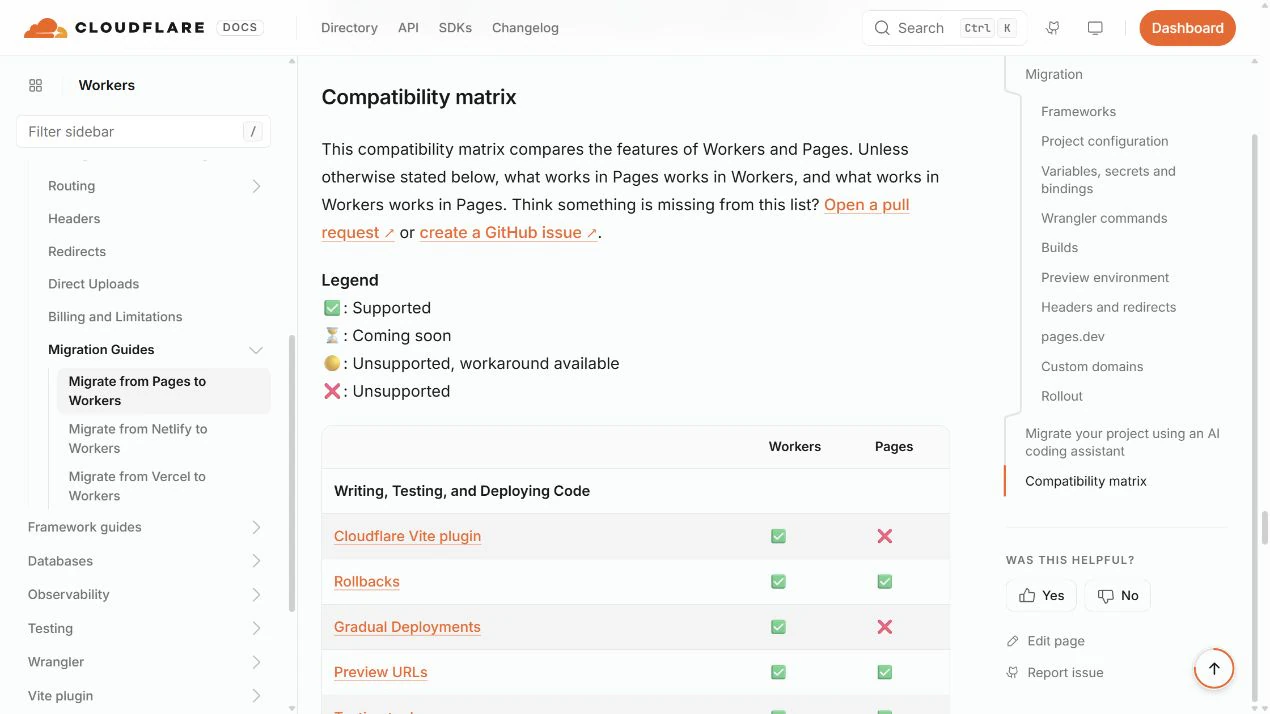
Cloudflare’s Pages-to-Workers guide contains the current feature comparison. Read that matrix for a required feature before assuming identical support. A framework adapter can also determine which target fits a server-rendered application.
How the cost boundary works
Ordinary direct Static Assets delivery is free and unlimited under the documented asset pricing. Executed Worker code is a different meter. Pages Functions use Workers pricing; adding them does not create a separate unlimited free application runtime.
Workers Free permits 100,000 requests per day for executed code, with runtime limits. Workers Paid starts at USD $5/month, with included usage and additional usage charges. Those prices are not a complete application budget: a database, stored objects or other services have their own allowances and prices if you need them.
Routing and optional caching can change that boundary. Code configured to run before an asset request creates a Worker invocation. Enabling Workers Cache makes requests billable at standard request rates, including static assets and cache hits even when code does not execute. Check the actual settings and the current pricing rules.
Pages Free has its own build and file limits, including 500 builds per month and a 25 MiB maximum per individual asset. Free hosting does not mean unlimited builds or arbitrary large downloads. Workers has its own limits too; compare the specific constraint your project approaches rather than transferring Pages numbers to Workers.
Three situations, three next checks
You are starting a new static website. Inspect Workers Static Assets and its build workflow first, following Cloudflare’s current recommendation. If your framework produces a folder of files, begin with that output; you do not need to invent a function or database.
Your Pages website already works. Keep it unless a needed feature, limit or maintenance issue makes migration worthwhile. Before moving, account for custom domains, redirects, headers, preview indexing and rollback—not just whether the new homepage loads. This article is not a migration procedure.
You need request-time application behavior. Check the runtime and framework support on Workers. If the job is a Python script that must stay running all day as a normal Linux process, this is a different hosting problem; our VPS worker guide explains that model. Do not choose Workers based solely on seeing Python mentioned in runtime documentation.
You have enough to choose when you know whether the project is assets only, needs request-time code, or needs a persistent process—and which required feature your current host cannot provide.
Sources and useful links
- Cloudflare Pages overview — the product’s current role and guidance for new projects.
- Pages-to-Workers comparison — feature matrix and configuration differences.
- Workers pricing — static assets versus executed code and paid usage.
- Pages limits — builds and asset-size boundaries.