Three transactional email templates with one clear next action
Adapt a request receipt, an access-link email and a failure notice with useful subjects, plain-text fallbacks and links worth checking.
In this guide
A useful service email answers three questions quickly: what happened, what it means for me, and what I should do next. It should not make someone search a long message for the one link they need.
These three templates are for a website that already sends service messages. They provide the wording and small HTML bodies—not a sending service, login system or retry mechanism. Replace every {{placeholder}} with a value from your existing workflow before sending. The workshop and request below are fictional examples.
Keep the sender people already recognize. Use a reply address that someone monitors when the message invites a reply. There is no need to change provider for these templates.
Use your template engine’s HTML escaping for inserted names, references and other text; do not paste untrusted text as raw HTML. Supply link destinations from your application’s validated, intended URLs, then escape them for an HTML attribute. A name containing < or & must remain text, and an inserted value must not be able to create a new link or attribute. Plain-text alternatives need the same correct values, without HTML entities.
1. Confirm a request without promising completion
Use this after your system has actually saved a request. Receiving a form submission is not the same as booking an appointment, taking payment or completing work.
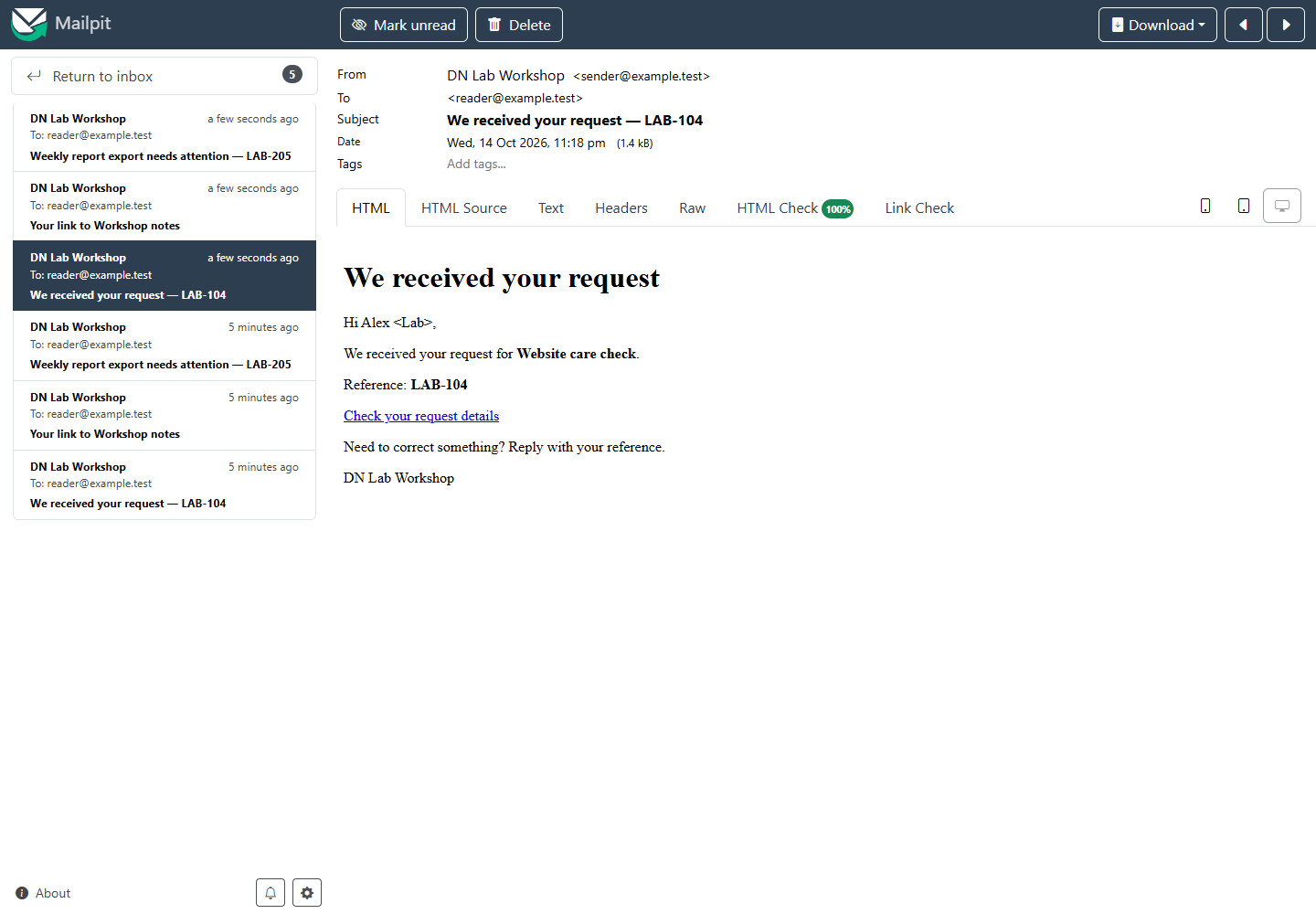
Subject: We received your request — {{request_id}}
Plain text:
Hi {{first_name}},

We received your request for {{service_name}}.
Reference: {{request_id}}

You can check the details here:
{{request_url}}

Need to correct something? Reply to this email with your reference.

{{business_name}}
HTML body:
<h1>We received your request</h1>
<p>Hi {{first_name}},</p>
<p>We received your request for <strong>{{service_name}}</strong>.</p>
<p>Reference: <strong>{{request_id}}</strong></p>
<p><a href="{{request_url}}">Check your request details</a></p>
<p>Need to correct something? Reply with your reference.</p>
<p>{{business_name}}</p>
Replace request_url with the actual details page your application provides. If it has no safe details page, remove the link from both versions and keep the reference/reply route. Do not invent a destination just to have a button.
2. Send an access link that explains its limits
Use this only when your existing application has generated a real, appropriately protected access link. Writing an expiry time in an email does not enforce it. The application must enforce the stated lifetime and any single-use behavior.
Subject: Your link to {{resource_name}}
Plain text:
Here is the access link you requested for {{resource_name}}:
{{access_url}}

This link expires {{expires_at_with_timezone}}.
If it has expired, request another here:
{{request_new_link_url}}

Do not forward this email: the link may give access to your resource.
If you did not request it, you can ignore this message.

{{business_name}}
HTML body:
<h1>Your requested access link</h1>
<p><a href="{{access_url}}">Open {{resource_name}}</a></p>
<p>This link expires {{expires_at_with_timezone}}.</p>
<p>Expired? <a href="{{request_new_link_url}}">Request another link</a>.</p>
<p>Do not forward this email. The link may grant access.</p>
<p>If you did not request it, you can ignore this message.</p>
<p>{{business_name}}</p>
Include a timezone or a clear relative lifetime matching the actual server rule. Keep access tokens out of screenshots, support tickets and analytics URLs. If requesting another link can expose account information, keep the application’s existing neutral response rather than revealing whether an address is registered.
3. Explain a failed job and what remains safe
Use this after a job has actually failed and your system knows whether a result exists. Say what did not happen only when you can verify it. A timeout by itself does not prove that a payment, message or export failed.
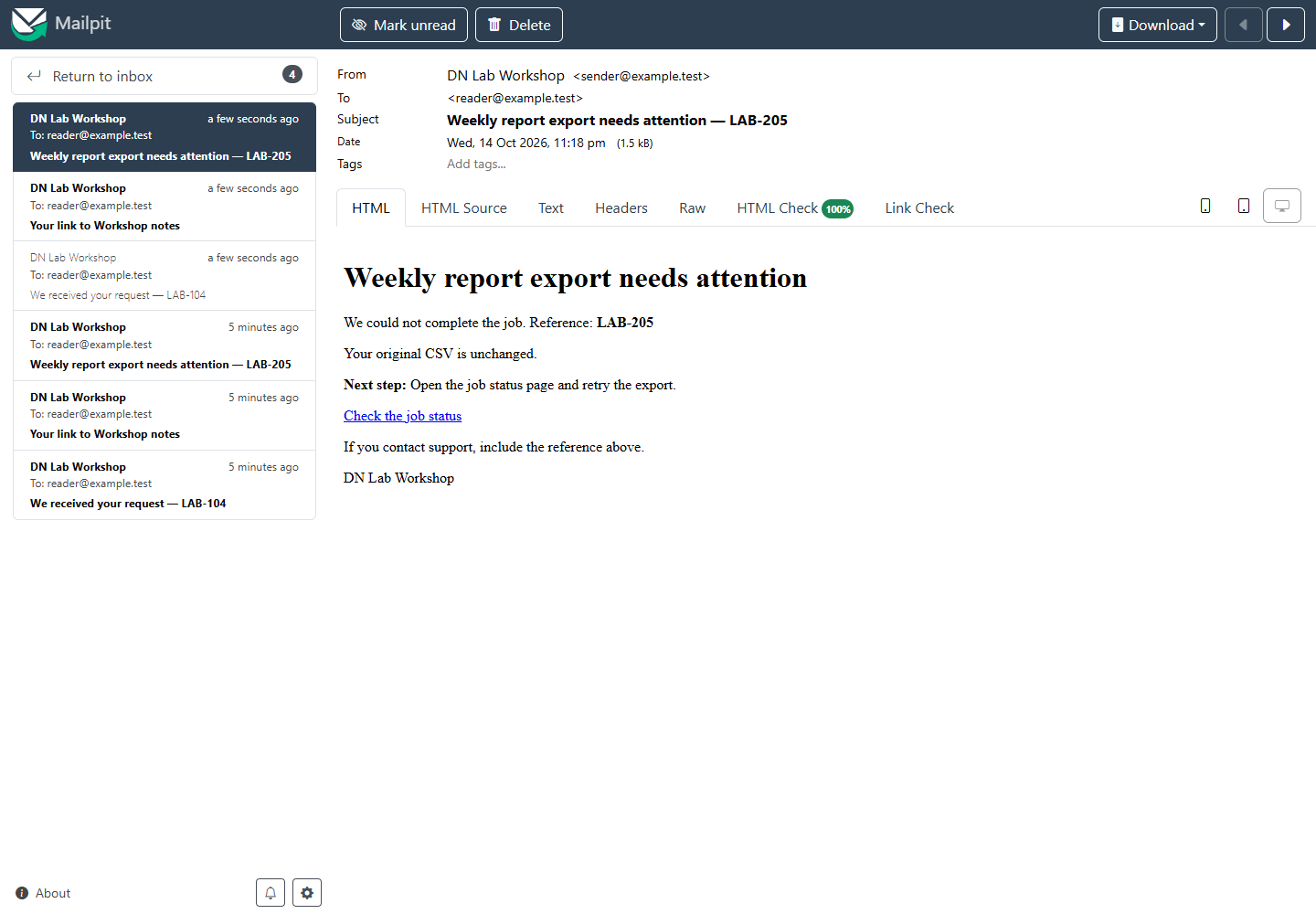
Subject: {{job_name}} needs attention — {{reference}}
Plain text:
We could not complete {{job_name}}.
Reference: {{reference}}

{{verified_effect_on_saved_work}}

Next step: {{one_next_step}}
{{job_status_url}}

If you contact support, include the reference above.
{{business_name}}
HTML body:
<h1>{{job_name}} needs attention</h1>
<p>We could not complete the job. Reference: <strong>{{reference}}</strong></p>
<p>{{verified_effect_on_saved_work}}</p>
<p><strong>Next step:</strong> {{one_next_step}}</p>
<p><a href="{{job_status_url}}">Check the job status</a></p>
<p>If you contact support, include the reference above.</p>
<p>{{business_name}}</p>
A useful filled-in example is: “Your original CSV is unchanged. Open the job status page and retry the export.” Use that wording only if the application really preserves the source and a retry is safe. For actions that can happen twice, the status page should resolve uncertainty before encouraging another attempt.
Check the filled-in message before using it
Send through your existing test workflow to an address you control or have permission to use. Keep customer data out of the test. Previewing a template is useful; it does not establish inbox placement or sender authentication.
Check the actual subject, recognizable sender, small-screen reading and plain-text version. Open each link as the intended recipient—not only as an administrator already logged in. Check the reference matches the saved record and no {{placeholder}} remains. Test an expired link through your application’s test mode if you are using the access template.
Your mail tool may generate plain text from HTML; inspect that result rather than assuming links and meaning survived. If it lets you supply both versions, send them as multipart/alternative: two representations of the same message, not two emails.
Keep these messages about the action the recipient took. Adding a promotion changes the message’s purpose and can introduce different consent/platform requirements. These templates do not determine the legal basis for a campaign or replace your provider’s rules.
Sources and useful links
- Multipart message alternatives — HTML and plain text as alternative representations.
- Python EmailMessage examples — composing HTML with a plain-text alternative in an existing Python sender.
- HTML links — link labels and actual destinations.