Streamlit vs Dash: choose for your small Python data app
Compare Streamlit and Dash through one small data tool, focusing on interaction, state and maintenance rather than a universal winner or hosting upsell.
In this guide
Start with Streamlit if you want to turn a Python data task into a simple browser tool with relatively little interface wiring. Consider Dash if the tool needs a carefully arranged dashboard and explicit relationships between many controls and outputs.
If your current app already works and you can maintain it comfortably, neither framework gives you a reason to rebuild by default. Choose based on the next interaction your users need, not on which name appears more often in a comparison.
Both are Python frameworks. The open-source libraries can run locally without buying hosting. Hosted platforms, access controls and support arrangements are separate decisions; choosing a framework does not automatically solve those needs.
Picture the same small tool in both
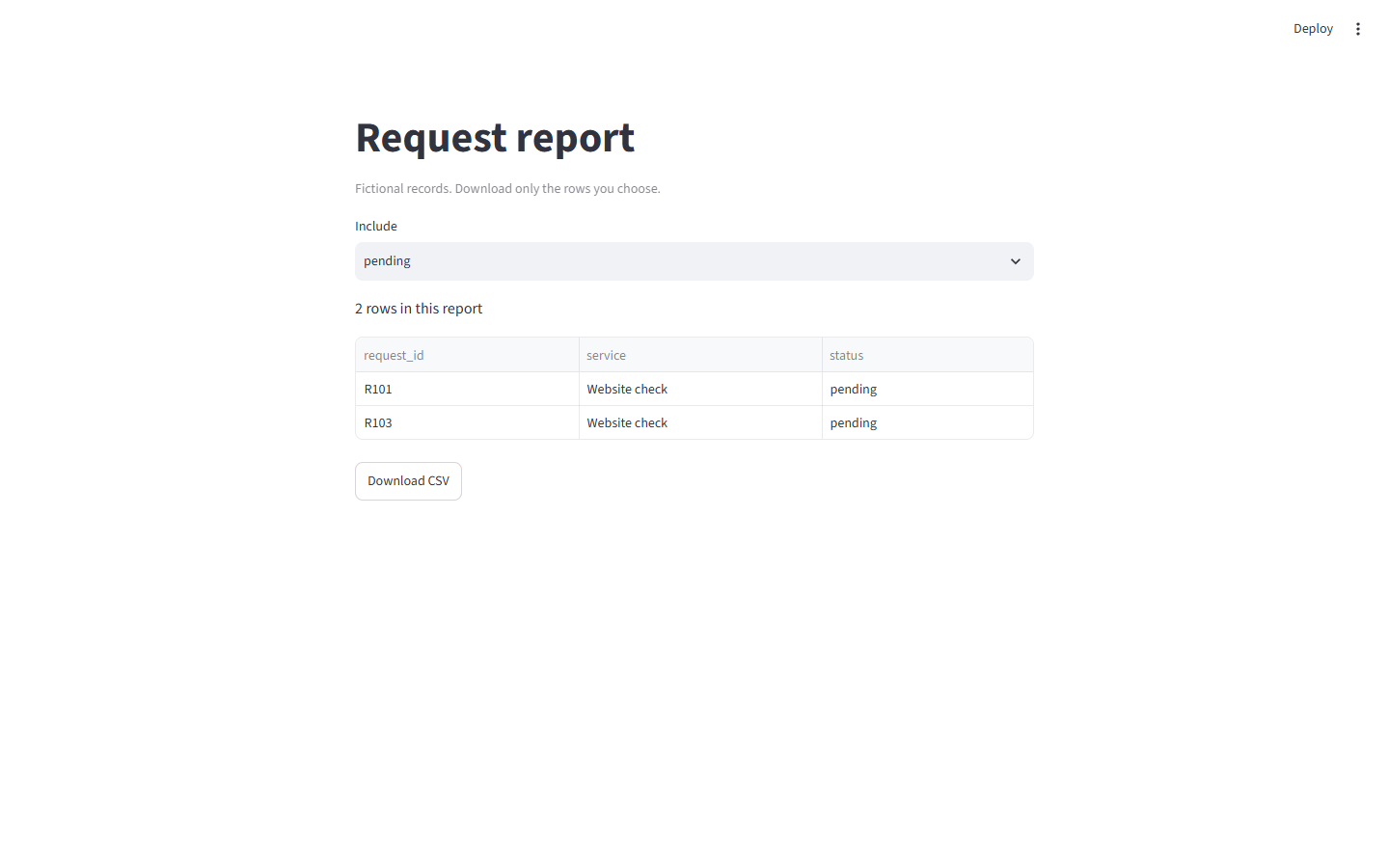
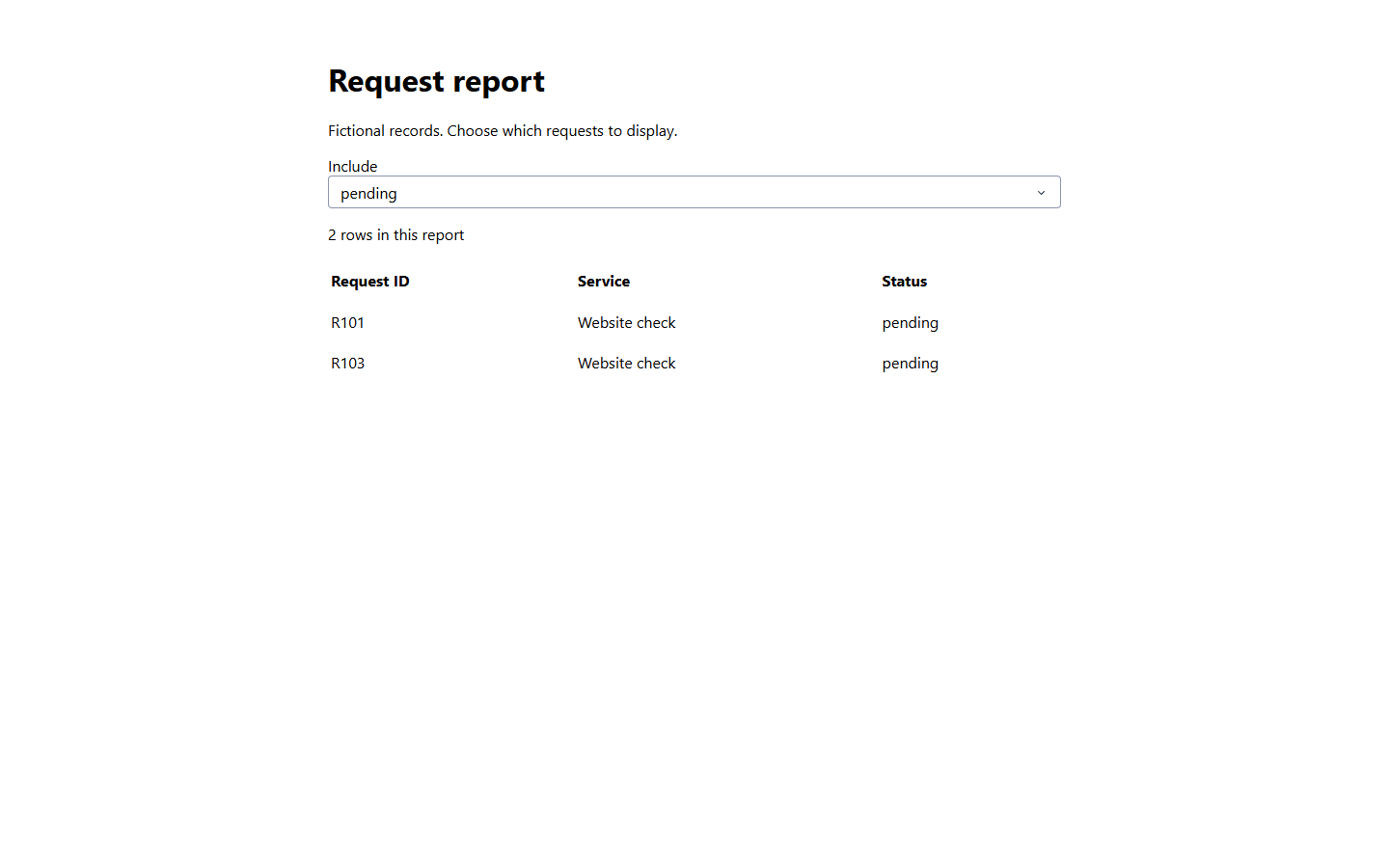
Suppose you have three fictional service requests and need a status filter, a visible count and a table. Choosing “pending” should show two records; choosing “all” should show three.
In Streamlit, the script creates the selector, filters the data and writes the table in order. When the selector changes, the script normally reruns. You keep values between reruns with session state and avoid repeating expensive reads with caching when appropriate.
In Dash, you declare the page components, then connect the selector’s value to the table and count through a callback: a Python function that receives an input and returns the outputs to update. This makes those relationships explicit, at the cost of more interface code for this small task.
Compare what you will have to maintain
| Decision | Streamlit | Dash |
|---|---|---|
| First small data tool | Write the workflow largely from top to bottom with ready-made widgets. | Define layout components and connect inputs to outputs. |
| What happens when a control changes? | The script normally reruns; forms and fragments can change that behavior. | The relevant callbacks run according to their input/output connections. |
| Keeping user choices | Session state persists through ordinary reruns, not indefinitely through a browser reload. | Component state and stores can hold choices; choose the required storage lifetime deliberately. |
| Layout control | Built-in containers and columns cover many small tools. More specific designs need additional work. | Component structure and CSS provide direct control, with that styling work left to you. |
| Slow data work | Use caching deliberately; a cache key must include what changes the result. | Decide where data is computed and shared; callbacks alone do not make expensive work cheap. |
| Deploying for other people | Needs a running Python service or a suitable managed platform. | Also needs a running Python service or a suitable managed platform. |
Neither Python app is equivalent to an exported static HTML website. A server has to run the Python logic when people interact with it. A managed platform may handle that operation for you, but check its actual access, resource and usage conditions before choosing it.
Three situations make the choice clearer
You have a CSV-processing script and want colleagues to try it. Streamlit is a reasonable first experiment: upload a file, show a result and provide a download. Keep the first version limited to that task. A tool people can use is more valuable than a dashboard with many unused controls.
You need a specific dashboard layout with several linked views. Dash is worth a small prototype. Test one realistic interaction—such as a date filter updating two outputs—before committing to the full layout. The advantage is control over those connections, not a claim that Dash is automatically faster.
You already have a working app in either framework. Check whether the actual problem is a missing callback, lost state or an expensive data read. Fixing that focused problem may cost less work than moving every screen to another framework. Do not migrate solely to obtain a feature your current framework already supports.
Keep state and private data deliberate
In either choice, ask what must survive a rerun, a page reload and a server restart. A temporary session choice is different from a saved report or customer record.
In Streamlit, a default data cache can be shared between sessions. In Dash, a mutable global Python variable can mix users’ data or behave differently across worker processes. Neither is a shortcut for user authentication or private per-user storage. Sensitive data requires an appropriate access and storage design in both frameworks.
Make one small next step
Write down the three controls and outputs your first screen truly needs. If it is mainly input → Python processing → result/download, try a local Streamlit prototype; the CSV viewer guide gives a complete starting point. For a more connected dashboard, use the Dash layout and callback tutorials to reproduce one interaction with fictional data.
If an existing solution passes that test, keep it. Decide where to host only after the prototype reveals who needs access, how much data it handles and who will maintain it. There is no hosting purchase required to make this framework decision.
Sources and useful links
- Streamlit execution model — reruns and how the script responds to interaction.
- Streamlit Session State — temporary values and their lifetime.
- Dash basic callbacks — connecting controls to outputs.
- Sharing data between Dash callbacks — why mutable global state is risky and how stores fit.