Jotform vs Typeform: choose by the answers you need
Compare Jotform and Typeform for a small request form or survey: response limits, layout, uploads, payments and the checks to make before paying.
In this guide
Start with your required questions and monthly responses, not the prettiest template. Jotform’s Free Starter plan allows more responses than Typeform Free. Typeform may still suit a short, one-question-at-a-time survey. Neither layout guarantees better completion or better leads.
If Google Forms already collects the answers you need, keeping it is a valid decision. A new form builder should remove a specific limitation, rather than create another subscription and another place to check replies.
This comparison is for one small enquiry form or survey. Public conditions were checked on October 8, 2026. It does not compare every paid tier or assume your account’s checkout matches a promotional pricing display.
The differences that affect a small form
| Question | Jotform | Typeform |
|---|---|---|
| What does Free allow? | Starter: 5 forms and 100 monthly submissions across the account; other quotas also apply | Unlimited forms, but 10 responses per month across them |
| What does the respondent see? | Classic forms or a card-style flow, depending on your choice | A guided question-by-question experience; inspect the actual mobile flow |
| Can I collect a file? | Starter includes uploads within 100 MB of upload space and its other limits | File Upload is a paid feature, not a Free-plan entitlement |
| Can I take a payment? | Starter permits 10 monthly payment submissions, with supported processors and their own conditions | Payment questions require a suitable paid plan and supported payment setup |
| Can I test without paying? | Use Starter within its permanent limits | Use Free; trying a paid feature in the editor does not mean you can publish it on Free |
| What should I compare next? | Submission, upload/storage, payment and form quotas for your whole account | Response allowance plus the exact required question, branding and integration features |
A submission or response is one completed form entry. Several forms share these account allowances. A plan allowing many forms does not necessarily let you receive many answers.
One example makes the choice clearer
Suppose you need 30 workshop registrations this month. Each person chooses a session and supplies a reply address. You collect no file or payment, and accept the provider’s branding.
Typeform Free’s ten-response allowance cannot hold all 30 completed registrations. Jotform Starter’s hundred-submission allowance can cover that count, provided the account’s other quotas and other forms do not consume the available room. That is an allowance comparison, not a claim about conversion or deliverability.
Now suppose the form receives only eight answers but must accept a PDF. The response count fits Typeform Free; the required File Upload question does not. Counting responses alone would lead to the wrong plan.
Alternatively, if you only need the simple session and email questions, create the request in Google Forms before buying either tool. You may already have everything needed.
An attractive flow is useful only if the job works
Preview your actual questions on a phone. Look for a clear explanation of the request, visible required fields, an easy way to correct a mistake and a useful confirmation message. Ask whether respondents need to see several related fields together, or whether one question at a time makes the form easier.
Do not choose solely from a demo animation. A short survey and a long order request ask different things of the respondent. Both products offer templates; your own test submission matters more than a claim that one layout always performs better.
Uploads and payments also change the work around the form. Someone must review files, control access to exported answers and reconcile payments. Processor fees and the processor’s country/eligibility rules are separate from the form subscription. A payment question is not, by itself, a complete shop with stock control and fulfilment.
Before an upgrade or a switch
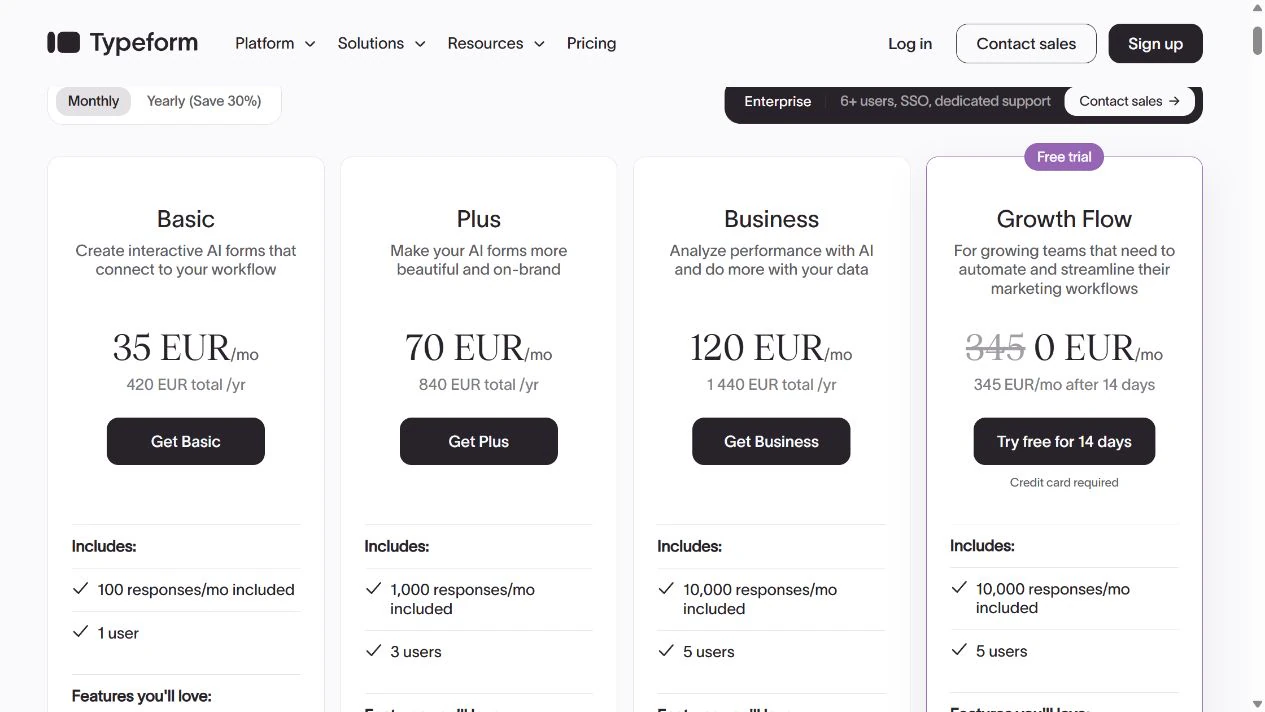
Check the plan in your account for the exact feature, response allowance, billing currency and payment period. Typeform explicitly documents pricing experiments, so paid prices can differ between accounts. An annual monthly-equivalent price represents an annual commitment, not necessarily a one-month payment.
Submit harmless example answers and confirm you can find them and export them where needed. Check what happens at the response limit and whether your required integration belongs to that plan. Keep the old form available until the replacement’s full path works; do not move real submissions merely to evaluate an editor.
Choose Jotform Starter when its quotas cover your straightforward request and its required features fit. Choose a suitable Typeform plan when you need its flow and accept the allowance and feature cost. Keep your existing tool when neither removes a real obstacle.
Your next action is to build the smallest version of your actual form on the available Free plan, test one valid and one invalid response, and check the stored result. Upgrade only for the requirement that the Free plan cannot meet.
Sources and useful links
- Jotform pricing — current plan quotas, payment features and account limits.
- Jotform Free Starter — permanent Free use and its form/submission limits.
- Typeform Free plan — shared response limit, paid features and pricing experiments.
- Typeform pricing — compare the response tier and required features before subscribing.